Scheduled & Recurring Forms
Automate your team's workflows by scheduling any form to be sent automatically — daily, weekly, or monthly. When a scheduled form fires, your team receives it in a Slack channel or DM and can fill it out right away. No manual reminders needed.
How it works
When you schedule a form, Forms will automatically send it to the assigned channel or DM at your chosen time. Your team members can then open and submit the form directly — just like any other form in Slack.
- Create a form or open an existing one.
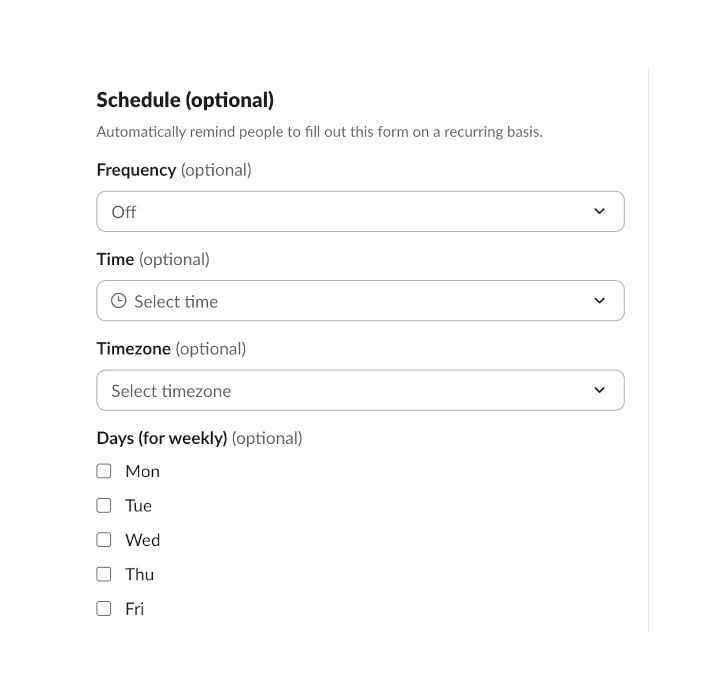
- Open Schedule in the form settings.
- Choose the frequency: daily, weekly (pick specific days), or monthly.
- Set the time and timezone.
- Select the channels or DMs where the form should be sent.
- Save — Forms will handle the rest automatically.
Use cases
Scheduled forms replace manual follow-ups and keep your team's recurring processes on track:
- Daily standups — collect updates from your team every morning
- Weekly reports — gather progress summaries at the end of each week
- Recurring check-ins — run regular 1:1 or team health checks
- Timesheet reminders — prompt team members to log their hours
- Monthly retrospectives — collect feedback on a regular cadence
- Shift handovers — ensure smooth transitions between teams
Schedule options
- Daily — sends every day at your chosen time
- Weekly — pick one or more days of the week
- Monthly — sends on a specific day each month
- Timezone — choose the timezone so the form arrives at the right local time
Scheduling to private channels
If you want to schedule a form to a private channel, make sure the Forms bot is added to that channel first. Type /invite @Forms in the channel, then set up your schedule.
Works with everything else
Scheduled forms work with all other Forms features. Combine them with approvals, Google Sheets, Zapier integrations, and 180+ templates to automate your team's workflows end to end.